Five-minute starts
Tap “5 min” to try just five minutes. You can stop any time and it still counts.
Today shows a single focus task with a five-minute start button. Everything else waits quietly in a line, one tap away, so your head doesn't have to hold it.
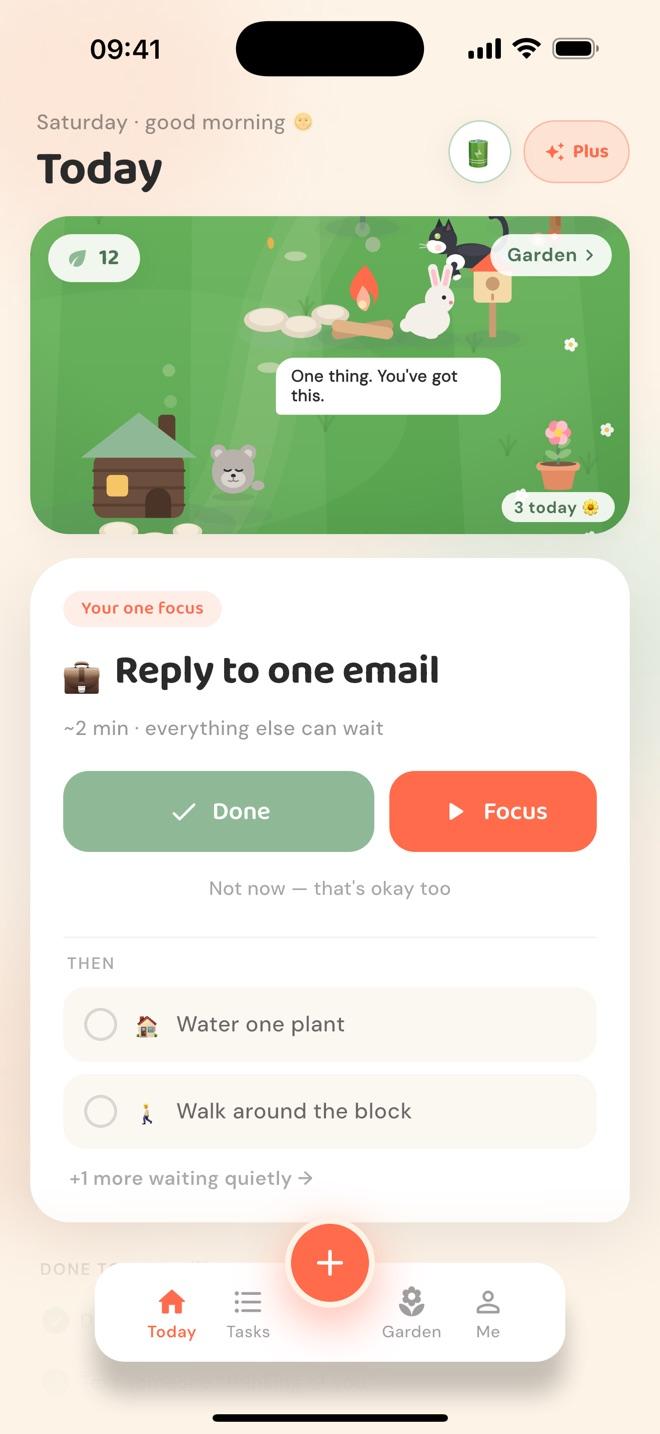
Nudge helps you work one task at a time by showing a single focus on the Today screen instead of your whole list. You pin the focus yourself, new tasks join the back of the line, and “Not now” moves a task back without guilt. When you finish, the next one steps up.
No priorities to juggle, no due-date guilt. Tasks wait in a line, oldest first, and you pin one as your focus.
Tasks form a line in the order you added them. New ones join the end.
Pick any task as your one focus. Today shows only that one.
Done drops the pin, plants a seed, and the next in line is ready when you are.
Not today? It moves to the end of the line. No penalty, no nagging.
New tasks join the end of the line, so jotting something down never pushes away what you were about to start.
Pin any task as your one focus. Finish it and the pin drops; the next task in line steps up when you're ready.
Not today? Send the task to the back of the line. No penalty, no overdue badge, no reminder about it later.
Tap “5 min” to try just five minutes. You can stop any time and it still counts.
Tasks lives one tap away, with Today, Later and Done. Nothing is hidden, it's just not shouting.
Tapping a task opens it; only the circle marks it done, and every finish offers Undo on a little toast.
A long list makes it harder to start, especially for ADHD brains. One clear focus lowers the decision load to a single choice: start this, or say not now.
Yes. The Tasks tab, one tap away, shows everything in line order, plus Later and Done.
Tap ✨ to break it into two to four tiny steps, or try the five-minute start and see how it feels.
Free to use · Nudge Plus is optional
